Choose your setup
A Raspberry Pi as a media server: what it does well, and where it stops
It is not a toy any more. It is also not a machine that transcodes 4K for three people at once — and the gap between those two facts is where people get disappointed.
Updated 2026-09-01 · 4 min read
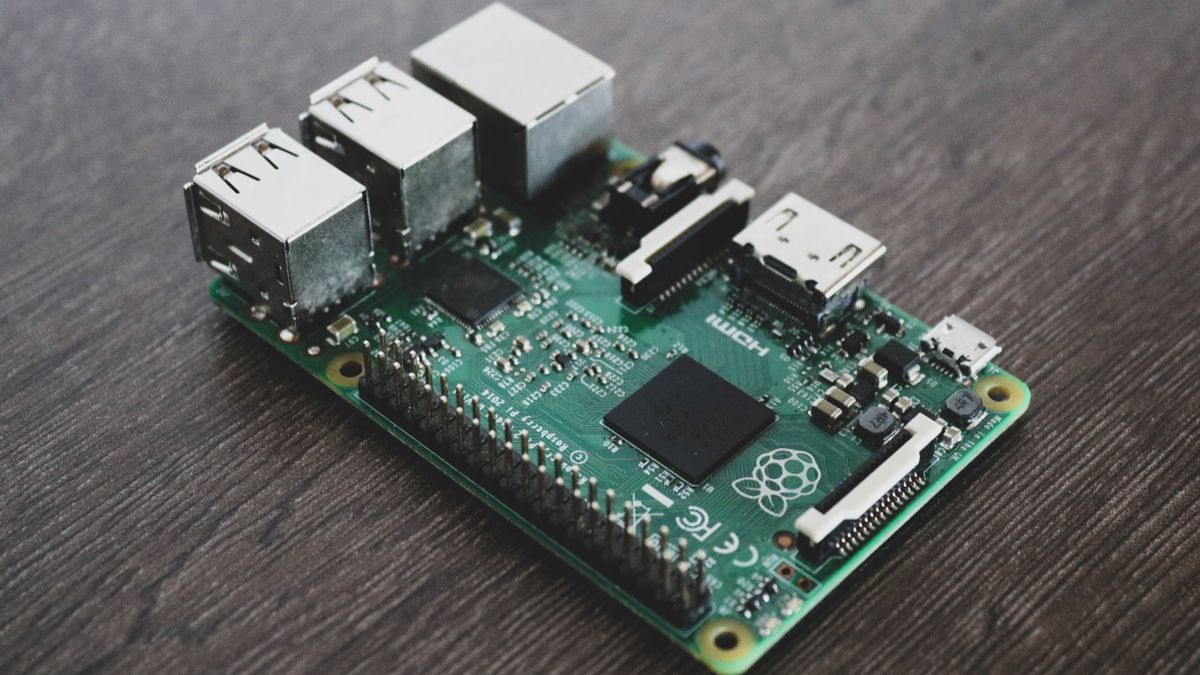
A Raspberry Pi 5 with an SSD is a real media server. It costs about $130 all in, draws 5 watts, makes no noise, and runs Jellyfin comfortably. For one household watching at home, it is often the right answer and this guide will not talk you out of it.
What it handles without complaint
- Direct play, any resolution. If the TV can read the file as-is, the Pi is just moving bytes. Even 4K HDR works — it is a file transfer, not a computation.
- Two or three simultaneous streams, as long as none of them needs converting.
- Sonarr, Radarr and a download client, running quietly in the background.
- Being on 24/7. 5 W is about $11 a year of electricity. Nothing else in this comparison of what a library really costs to keep is that cheap to run.
The two walls
- 1
Transcoding — the hard one
When the player cannot read a file (wrong codec, unsupported subtitles, a connection too slow for the bitrate), the server rewrites it in real time. That is heavy. A Pi 5 manages roughly one 1080p transcode, and no 4K transcode at all. An old smart TV or a phone on mobile data will trigger it constantly. This is the wall people hit, and no configuration removes it.
- 2
Your upload speed — the one that has nothing to do with the Pi
The Pi sits behind your home connection. Whatever it serves to the outside world leaves through your upload, which on most lines is 20 to 300 Mb/s and shared with everyone in the house. Replacing the Pi with a $2000 server changes nothing here.
| Use | Pi 5 verdict |
|---|---|
| One person, at home, on a modern TV | Excellent. Buy the Pi. |
| Family, at home, mixed devices | Usually fine, with occasional stutter on the old TV |
| Anyone watching from outside | Limited by your line, not the Pi |
| 4K library, several viewers | No. Wrong tool. |
| Sharing with relatives elsewhere | No. This is what a hosted box is for. |
How to avoid the transcode wall entirely
- 1Use the native Jellyfin app on the TV, not the browser. Browsers refuse many codecs and force conversion.
- 2Keep your library in H.264 or HEVC in an MKV, the combination nearly every device reads directly.
- 3Avoid burned-in subtitle formats that force a re-render. Plain SRT subtitles never trigger a transcode.
- 4In Jellyfin, watch Dashboard → Playback while something is playing. It says Direct Play or Transcode. If you never see the second word, the Pi will never be your problem.
When to stop and rent instead
The Pi stops being the answer at a precise moment: when someone outside the house wants to watch. Not because it is weak, but because your home connection is the bottleneck and it always will be — the same mechanism that makes Plex slow outside your home.
+Can a Raspberry Pi run Plex Media Server?
Yes, and Jellyfin too. A Pi 5 serves several streams comfortably as long as the players read the files directly. What it cannot do is transcode 4K, and it manages roughly one 1080p transcode — that is the ceiling, and no configuration lifts it.
+What is the best media server for Raspberry Pi?
Jellyfin: free hardware transcoding, no account, and lighter than Plex on modest hardware. Plex works too, but its better TV apps matter less when the bottleneck is the Pi itself.
+Can I use a Raspberry Pi 5 as a media centre?
Two different jobs, and it does both: as a server holding the library, and as a player plugged into the TV running Kodi. Doing both at once on one Pi works for a single household, though the player side is what will feel slow first.
+Pi 4 or Pi 5?
Pi 5, clearly. Roughly twice the CPU, proper PCIe for an SSD, and USB that does not collapse under load. A Pi 4 works but transcodes essentially nothing.
+SD card or SSD?
SSD, without hesitation. SD cards die under the constant small writes a media server makes — usually within a year, and always without warning.
+Can it run the *arr stack too?
Yes, easily. Sonarr, Radarr, Prowlarr and a download client together use very little CPU. It is playback, not automation, that strains it.
Sources and official documentation
- Raspberry Pi — Raspberry Pi 5 specifications · raspberrypi.com
- Jellyfin documentation — hardware acceleration · jellyfin.org